
DistilBERT is a smaller and faster version of the popular BERT model, designed to bring powerful language understanding to devices with limited memory and compute. In this article, you will learn what DistilBERT is, why it was created, how it helps in real-world applications, and how to train and evaluate it with simple, runnable Google Colab code. Everything is explained in plain language, even if you are new to NLP or deep learning.
Table of Contents
- What Is DistilBERT
- Why DistilBERT Was Created
- Real-World Use Cases
- How to Train and Test DistilBERT
- Code for Training, Testing, and Evaluation (Google Colab)
1. What Is DistilBERT
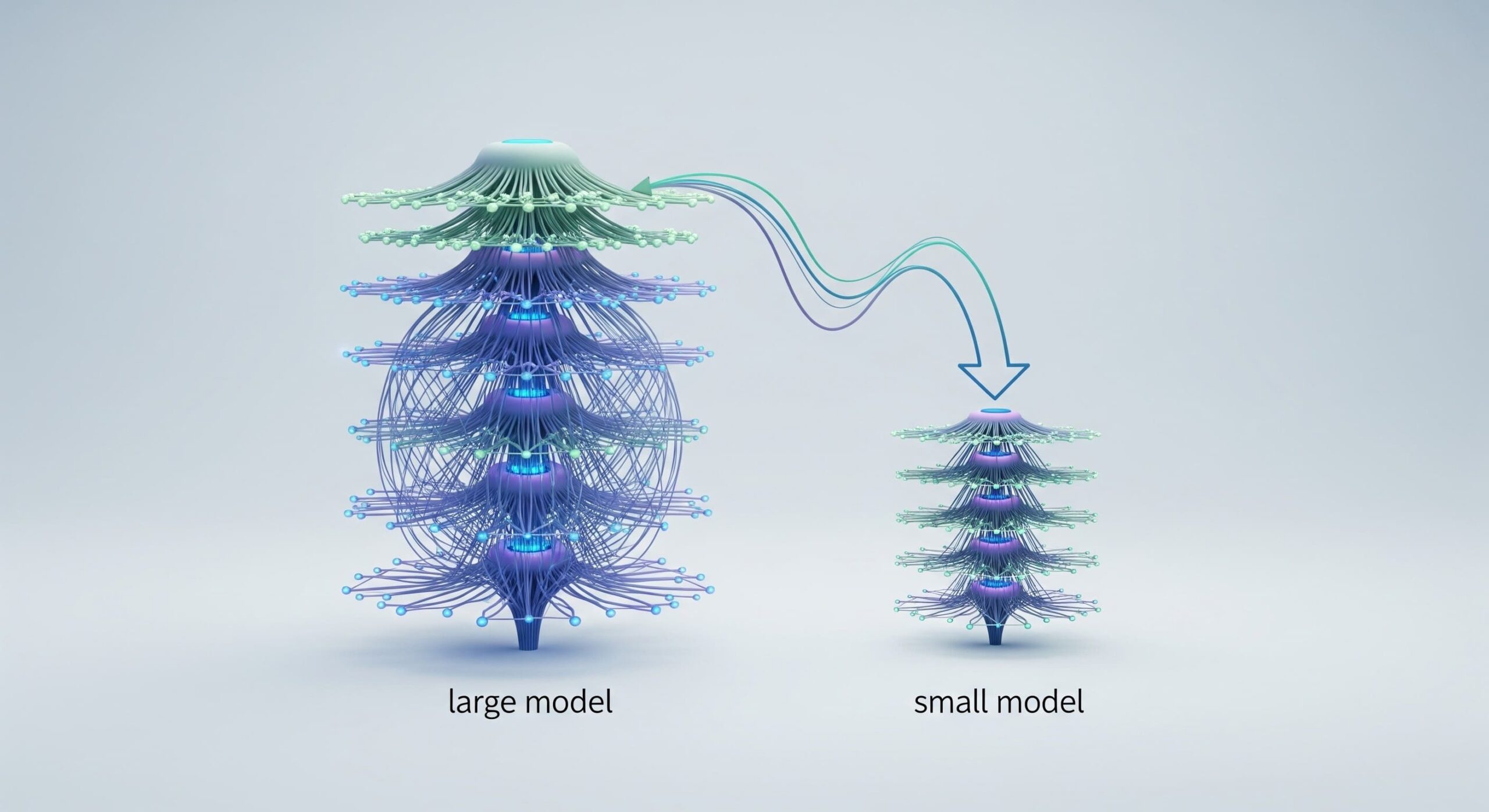
DistilBERT is a lightweight version of BERT created using a method called knowledge distillation. In simple terms, a large model (teacher) trains a smaller model (student) by transferring its knowledge. DistilBERT keeps about 95% of BERT’s performance while being 40% smaller and 60% faster. This means tasks like text classification, sentiment analysis, or intent detection can be done on smaller machines without GPUs.
It still works like BERT by reading text in both directions (bidirectional) and understanding sentence meaning, but it uses fewer layers and simplified architecture. This balance of speed and accuracy is what makes DistilBERT very practical for students, developers, and resource-limited devices.
2. Why DistilBERT Was Created
BERT is powerful but extremely heavy. Running BERT requires high RAM, strong GPUs, and a lot of energy. This becomes a problem for:
- Small laptops or CPUs
- Real-time applications
- Edge devices like mobile apps
- Large-scale deployments with thousands of requests per second
DistilBERT solves these issues by reducing model size while keeping performance high. Its smaller memory footprint allows training on a typical 16 GB RAM CPU machine (with patience) and smooth inference on laptops or even mobile devices. The goal is simple: make advanced NLP accessible to everyone.
3. Real-World Use Cases
DistilBERT is widely used in practical applications where speed and efficiency matter. Popular use cases include:
a. Sentiment Analysis
Companies use it to understand customer feedback quickly—classifying reviews as positive, neutral, or negative.
b. Chatbots and Support Systems
Its fast response time helps customer support tools understand user questions instantly.
c. Document Classification
It can categorize emails, support tickets, resumes, or news articles with high accuracy.
d. Spam Detection
DistilBERT can learn patterns of suspicious communication and filter harmful content.
e. Named Entity Recognition (NER)
Useful for extracting names, locations, dates, and important keywords from text.
In each case, DistilBERT makes NLP efficient without sacrificing too much accuracy.
4. How to Train and Test DistilBERT
Mini-Batching
Mini-batching means training your model in small groups of data instead of the entire dataset at once.
Benefits:
- Faster training
- More stable gradient updates
- Lower memory usage
For example, if you have 10,000 sentences, you can process them in batches of 16 or 32 sentences at a time.
Core Parameters to Watch
| Parameter | Meaning | Recommended Values |
|---|---|---|
| batch_size | how many samples per training step | 16 or 32 |
| learning_rate | how fast the model learns | 2e-5 to 5e-5 |
| max_length | maximum tokens per text | 128–256 |
| epochs | how many times the model sees the full dataset | 2–4 |
| warmup_steps | helps stabilize early training | 100–500 |
Hardware Requirements
| Phase | Minimum | Good |
|---|---|---|
| Training | 12–16 GB RAM, CPU (slow) | GPU (Colab/T4) |
| Inference | 4–8 GB RAM | Any laptop |
With 16 GB RAM and i5 CPU, you can train small datasets comfortably using batch_size=8 or 16.
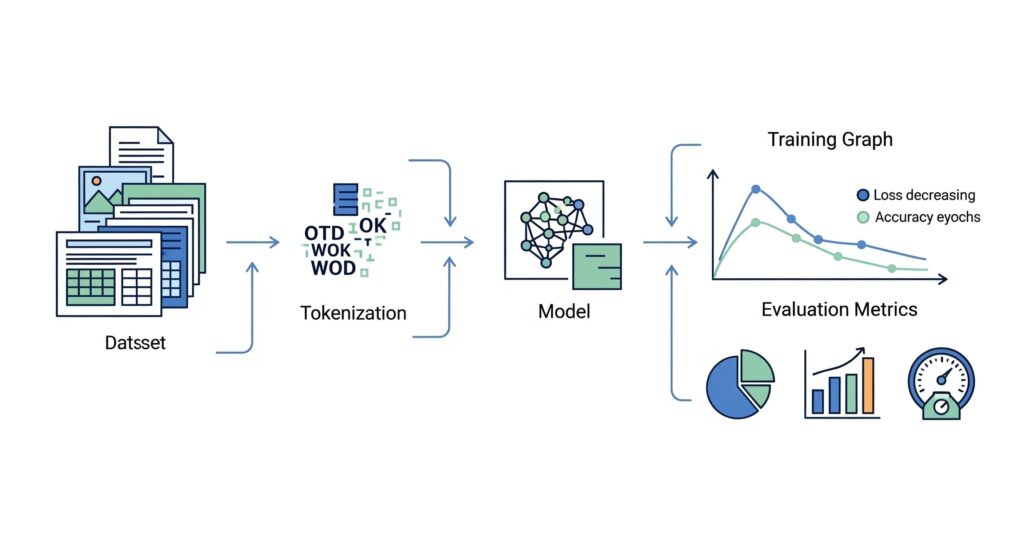
Evaluation Metrics Explained
- Accuracy – how many predictions were correct.
- Precision – correctness of positive predictions.
- Recall – how many actual positives were captured.
- F1-score – balanced combination of precision and recall.
Graphs such as accuracy curves and loss curves help visualize training progress.
5. Code for Training, Testing, and Evaluation (Google Colab)
Install and Import
!pip install transformers datasets evaluate accelerate

from transformers import DistilBertTokenizerFast, DistilBertForSequenceClassification, TrainingArguments, Trainer
from datasets import load_dataset
import evaluate
import matplotlib.pyplot as plt
Load Dataset (Using IMDB for Sentiment Analysis)
dataset = load_dataset("imdb")
tokenizer = DistilBertTokenizerFast.from_pretrained("distilbert-base-uncased")
Tokenization
def tokenize(batch):
    return tokenizer(batch["text"], truncation=True, padding="max_length", max_length=128)

tokenized_dataset = dataset.map(tokenize, batched=True)
tokenized_dataset = tokenized_dataset.rename_column("label", "labels")
tokenized_dataset.set_format("torch", columns=["input_ids", "attention_mask", "labels"])
Load Model
model = DistilBertForSequenceClassification.from_pretrained("distilbert-base-uncased")
Training Setup
training_args = TrainingArguments(
    output_dir="./results",
    learning_rate=2e-5,
    num_train_epochs=2,
    per_device_train_batch_size=16,
    per_device_eval_batch_size=16,
    evaluation_strategy="epoch",
    logging_strategy="epoch",
    save_strategy="epoch"
)
Evaluation Metric
accuracy = evaluate.load("accuracy")

def compute_metrics(pred):
    logits, labels = pred
    predictions = logits.argmax(axis=-1)
    return accuracy.compute(predictions=predictions, references=labels)
Train
trainer = Trainer(
    model=model,
    args=training_args,
    train_dataset=tokenized_dataset["train"],
    eval_dataset=tokenized_dataset["test"],
    compute_metrics=compute_metrics
)

trainer.train()
Plot Training Loss
logs = trainer.state.log_history
loss_values = [log["loss"] for log in logs if "loss" in log]
plt.plot(loss_values)
plt.xlabel("Steps")
plt.ylabel("Training Loss")
plt.title("DistilBERT Training Loss Curve")
plt.show()
Test on New Text
test_text = "The movie was amazing and thrilling!"
inputs = tokenizer(test_text, return_tensors="pt")
outputs = model(**inputs)
print(outputs.logits.argmax().item())  # 1 = positive, 0 = negative
Summary
DistilBERT is a compact and efficient version of BERT designed to bring high-quality NLP to everyday machines. It solves major problems related to speed, memory, and deployment at scale. Through simple batching, correct parameter choices, and Hugging Face tools, you can easily train and test DistilBERT even on Google Colab. With metrics like accuracy and F1-score and graphs showing training progress, beginners can confidently understand and build NLP models.
FAQ
1. Is DistilBERT suitable for beginners?
Yes, DistilBERT is one of the best models for beginners because it is lightweight, easy to train, and works well on small datasets. Its simple architecture helps new learners understand how transformers behave.
2. Can DistilBERT run without a GPU?
Yes, DistilBERT can run on a CPU, though training will be slower. Inference is very fast even on normal laptops, making it ideal for demos and small projects.
3. How accurate is DistilBERT compared to BERT?
DistilBERT retains about 95% of BERT’s accuracy while being much smaller and faster. In many practical tasks like sentiment analysis or classification, the performance difference is barely noticeable.
4. How much data is needed to train DistilBERT?
You can fine-tune DistilBERT with just a few thousand labeled samples. For small classification tasks, even 1,000–2,000 samples can deliver strong accuracy.
Thanks for your time! Support us by sharing this article and exploring more AI videos on our YouTube channel – Simplify AI
Leave a Reply